


AI face-swap videos can be useful for comedy, storytelling, educational demonstrations, and creative concept work. A free AI video face swap workflow can make experimentation more accessible, but the best results still depend on thoughtful planning, suitable footage, and respect for the people whose likenesses appear on screen.
- 1. What Makes A Good Face-Swap Video?
- 2. Plan The Project Before Editing
- 3. Choose Better Source Material
- 4. A Simple Face-Swap Workflow
- 5. Quality Checks That Catch Weak Results
- 6. Consent, Privacy, And Usage Rights
- 7. When And How To Disclose AI Use
- 8. How Viewers Can Spot Altered Video
- 9. Common Questions
- Can A Face-Swap Video Look Real?
- What Is The Best Length For A Test Clip?
- Do Creators Need Permission To Use A Face?
- What Should Creators Do If The Result Looks Wrong?
- 10. Conclusion
A strong project is not simply one that looks realistic. It should also be honest about what has been altered, avoid misleading contexts, and use images and videos that the creator has the right to edit. Treating face replacement as a form of responsible digital post-production helps protect both the audience and the people depicted.
1. What Makes A Good Face-Swap Video?
A convincing face swap requires more than a clear portrait. The replacement needs to align with the target person’s face shape, camera angle, lighting, movement, and expression. Skin tone and shadows should fit the scene, while facial details should remain stable from one frame to the next.
Short clips with steady framing are usually easier to review than scenes with rapid head turns, strong motion blur, dark lighting, or heavy compression. A face can appear convincing in a paused frame yet shift unnaturally during a blink, smile, or turn toward the camera.
2. Plan The Project Before Editing
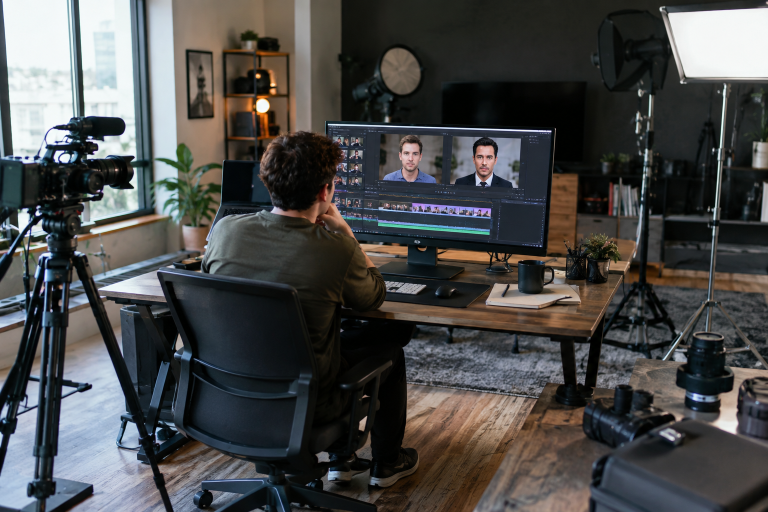
Begin by defining the purpose and audience. A lighthearted birthday message, a fictional film test, and a classroom media-literacy example each need different choices about tone, editing, and disclosure.
- Decide what the video is intended to communicate.
- Start with a short test scene rather than a full-length project.
- Confirm who owns the footage and who appears in it.
- Consider whether viewers could mistake the final version for unedited footage.
A clear goal makes editing decisions easier. If a shot does not serve the project or cannot be presented responsibly, it is often better to replace it than to force it into the final cut.
3. Choose Better Source Material
Source quality has a major effect on the final result. Use sharp, well-lit images where the face is unobstructed and positioned similarly to the face in the target footage. A neutral expression often provides a dependable starting point because key features are visible without extreme distortion.
- Avoid sunglasses, strong beauty filters, deep shadows, and blocked facial features.
- Choose an image large enough for the planned export resolution.
- Match the source angle as closely as possible to the target clip.
- Check that the image was shared with permission for the intended use.
4. A Simple Face-Swap Workflow
- Gather files: Select the source face, target video, and useful reference frames.
- Trim a test clip: Use a brief sequence with ordinary movement and clear lighting.
- Match the scene: Compare camera angle, light direction, background, and subject position.
- Create a first pass: Consider the initial output a diagnostic version, not the final edit.
- Review motion: Watch blinks, speech, smiles, head turns, and lighting changes.
- Refine or remove weak shots: Adjust the source, shorten the clip, or choose a different scene.
- Export responsibly: Add a clear disclosure when the edit could be mistaken for original footage.
5. Quality Checks That Catch Weak Results
Reviewing carefully can catch distracting flaws before publication. Watch the entire video at normal speed, then repeat it at half speed. Pause on head turns, broad expressions, and changes in brightness. Finally, inspect the exported version on both a phone and a larger screen.
- Identity drift: Facial proportions gradually change or resemble the target person more than the intended source.
- Edge problems: Hairlines, ears, cheeks, or jawlines show seams or unstable detail.
- Lighting errors: The face stays bright when the surrounding scene darkens.
- Expression mismatch: The mouth moves, but the cheeks, eyes, or jaw do not respond naturally.
- Flicker: Skin tone or facial detail changes noticeably between frames.
- Lip-sync issues: Spoken audio does not match mouth movement or timing.
6. Consent, Privacy, And Usage Rights
Use your own likeness, a fictional character, or a real person who has clearly agreed to the specific project. Permission should cover AI editing, the intended audience, planned distribution, and any commercial use. Keep a written record of approvals, file sources, and limits on use.
Do not create footage that falsely shows someone committing an act, making a statement, or appearing in a sensitive situation. Extra caution is appropriate when children, private individuals, intimate material, public figures, or professional reputations are involved. Misleading impersonation can create real harm, which is one reason public agencies continue to address impersonation scams involving AI-enabled media.
7. When And How To Disclose AI Use
Disclosure gives viewers important context and supports trust. Use a plain on-screen label, especially when the result is realistic or likely to be reposted without its original caption. A visible notice is generally more useful than a vague statement hidden in a description.
- Add wording such as “AI-edited video” or “Face digitally replaced.”
- Place the notice where viewers can see it without opening additional menus.
- Repeat the disclosure in the caption when the video may travel beyond its original post.
- Use available platform labeling tools where appropriate.
This video contains an AI-edited face replacement. The people shown gave permission for this creative use.
Clear labels also fit broader efforts to improve authenticity and provenance in digital media. NIST has outlined technical approaches to digital content transparency, including methods related to labeling, provenance, and detection.
8. How Viewers Can Spot Altered Video
No single visual clue proves that a video has been manipulated. Instead, look for several inconsistencies and verify the original source before sharing a surprising, emotional, or consequential clip.
- Check whether facial shape, skin marks, hair, glasses, or earrings remain consistent.
- Watch the eyes, teeth, mouth, and jaw during speech.
- Compare shadows and color on the face with the rest of the scene.
- Look for abrupt changes in clothing, backgrounds, or camera perspective.
- Listen for mismatches between the audio and visible lip movement.
9. Common Questions
Can A Face-Swap Video Look Real?
It can look convincing, particularly in short clips with good lighting and limited movement. Fast motion, close-ups, speech, and changes in perspective tend to reveal more weaknesses.
What Is The Best Length For A Test Clip?
A few seconds is often enough to evaluate tracking, lighting, facial motion, and stability before spending time on a longer edit.
Do Creators Need Permission To Use A Face?
Creators should obtain clear permission before using another person’s likeness, particularly when the video will be shared publicly or used for business purposes.
What Should Creators Do If The Result Looks Wrong?
Improve the source image, choose a better reference frame, shorten the scene, adjust the lighting match, or remove the shot. A shorter, cleaner video is better than a longer one filled with obvious artifacts.
10. Conclusion
Strong AI face-swap videos depend on craft and judgment. Better source material and careful review improve visual quality, while consent, privacy, and clear labeling protect trust. When creators treat face swapping as responsible digital editing rather than a shortcut around accountability, audiences can understand the work for what it is.
- A Day That Feels Like Your Own: Assisted Living, Choice, and Connection in Seattle, Washington
- The Daily Movement Plan for a Healthier Back in Davie, Florida
- How to Build a Practical Sports Nutrition Routine for Everyday Training
- How to Choose Window Treatments for Better Light, Privacy, Comfort, and Safety in The Seacoast, New Hampshire
- From Health Questions to Useful Evidence: How Clinical Studies Guide Better Choices